
A marketing article will often say that an AI video tool is faster, cheaper, and able to shape a clip from a viewer’s behavior. Those three sentences are not on the pages below. This is a reading of two of them: what Topview T1 accepts, what a second costs, and which jobs the model page actually names. It is not a test, and it is not a conversion figure.
What the model accepts
Topview T1 is the first video model Topview introduced. The page also calls it the newest. It generates the clip. Output is 720p or 1080p. The credit price they publish is for 1080p, and the page recommends 1080p for ordinary production.
You can start from text, from an image, or from several references at once. The glance card allows up to 50 assets, mixing image, video, and audio. The questions on the page answer on images and audio: images guide characters, settings, and the look, and audio guides sound and atmosphere. Dialogue and subtitles can be multilingual. A clip can run up to 30 seconds. Next to that length, the page writes “longer, coherent scenes.” That phrase is about one scene having room to develop. It is not a score of a face held across five separate generations.
The beginner setting is 5 seconds, 1080p, a 16:9 frame, and no dialogue. The prompt on the page is a woman in the rain, neon on the wet street, the camera moving from a medium shot to her face. That is the page’s starter. It shows the controls, not a film we shot.
You need the right to every file you upload. A still you made, or a product you may show, can guide the scene. A frame taken from someone else’s work does not become yours because the model accepted it. A generated face belongs to the character in the scene. It is not a customer, and it is not a person who agreed to appear simply by being in a photo you saved.
T1 makes a new clip. The page does not present it as a way to enlarge an old, soft file, or as a way to paste one person’s face onto another.
What a second costs, and what you spend it on
At 1080p, every member pays 2.2 credits a second. The list price beside that rate is 2.75 credits a second. The rate does not rise with the plan, so another take is not reserved for a higher tier.
Thirty seconds at 1080p is listed at 6.60 US dollars. The same page lists 17.55 US dollars for thirty seconds at 1080p on Seedance 2.5, about 62 percent less, and says the gap is there so you can spend it on more shots. Ultra Annual members also receive 30 days of unlimited T1 generation. That line belongs to T1 on that plan. It does not mean every generation is free.
The page’s own estimator separates generated footage from the finished cut. Five takes of six seconds are thirty seconds on the bill, even if the edit keeps six. Commercial use follows the plan and the terms in force at export. The page says this 1080p can stand with Seedance 2.5. That is the page’s claim. The prices under it are the part you can check. This article does not report a side-by-side viewing.
The jobs the page names
The model page sorts the work by the kind of scene, not by a viewer’s purchase history. These are the uses it prints.
-
Short drama. Emotional confrontations, character scenes, and cliffhangers, in 1080p, with room to try another performance or another angle while the per-second rate stays the same.
-
Film shots. Atmosphere, a performance, and a chosen camera move, from a close-up to a wider view, before you lock a cut.
-
Animation. A character, a place, and a style for an original short, rather than a photograph of a set.
-
Music video. A performance and a stylized room, built as a visual idea for a track you have the right to use.
-
Variety and entertainment. A challenge, a playful trip, or a short game between characters. The seaside example on the page is marked as 30 seconds.
-
A studio running many shots. Several directions, at 1080p, at one rate for every member, so a retake is a budget line and not a new contract.
A marketing cut can sit inside those jobs when the scene is a product you may show, a story beat, or a performance, and when you still write the offer yourself. The model does not read a customer’s clicks and rewrite the line. It does not publish the page the product lives on.
How a first pass is set
The page gives three steps.
-
Describe the scene. Use a prompt or a preset. Name the action, the characters, the mood, and the camera.
-
Choose the settings. Duration, aspect ratio, and resolution. The page recommends 1080p for everyday work. A phone feed may want 9:16. A wider film frame may want 16:9. The starter example is 16:9.
-
Generate, watch, and try another take. A small change in the prompt is the method the page describes. The credit line is visible before you run it.
If the first pass is only there to see the light, use the 5-second setting. If the scene needs a turn in the action, stay inside the 30-second ceiling and count every take you generate, not only the one you keep.
Where the model sits
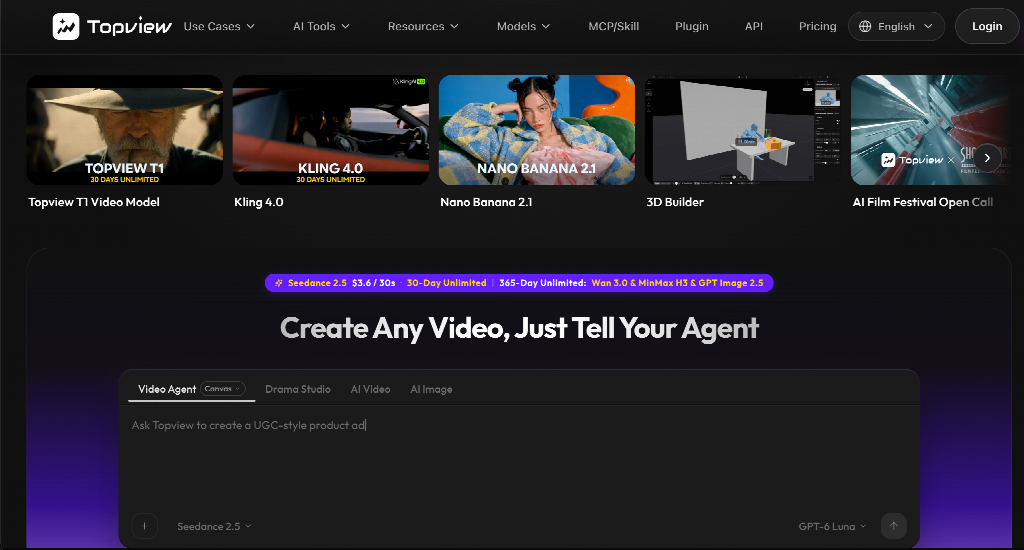
Topview is the workspace around the model. You describe an idea, or you add a script, a reference video you have the right to use, or a product address. It plans the shots, selects among the models it carries, generates the assets, and keeps each shot editable on the Canvas. A prompt, a link, an image, a video, or a mix of those can start the work. It can adapt a cut for short video feeds, ads, and stories.
T1 is the model that generates the clip. The workspace does not decide that the clip matched the brief, and it does not send the file live. You watch it. A reference video is for pacing you are allowed to follow. It is not a license to rebuild someone else’s ad.
Which sentence you can take into a meeting
You can say: we start from a prompt, a still we may use, or a set of references; the output is 720p or 1080p; at 1080p every member pays 2.2 credits a second; thirty seconds are listed at 6.60 US dollars; another take costs the same. You can also say which job on the page you are actually doing: a drama beat, a film shot, an animated scene, a performance, a short challenge, or a stack of retakes.
You cannot say, from these pages, that the clip knows the viewer, that it raised a conversion rate, or that it was finished in a minute. Open T1 when the first list is the one you mean. Open the workspace when the shot still has to sit beside a script and stay editable after it is generated.